Im so bad at computers, I have made an account and downloaded the installer, but it says cant find game in selected folder, but the game is in the folder?
You are using an out of date browser. It may not display this or other websites correctly.
You should upgrade or use an alternative browser.
You should upgrade or use an alternative browser.
will someone help me download the game?
- Thread starter Abeoftheyear
- Start date
Download the file
Put the file in the "Module Folder" in the M&B Bannerlord Folder
(C:\Program Files (x86)\Steam\steamapps\common\Mount & Blade II Bannerlord\Modules)
It should say "BannerLord Online" and be an Application
Run as Administrator
I would PIN the BannerLord Online to the start menu for easy access, right click, run as admin, then it should pop up to the launcher where you have to log-in.
If you dont know where the module folder for bannerlord is:
On steam at least, Select Game, right click, properties, local files, browse
Otherwise, just right click the bannerlord application and properties, and look for show files
Put the file in the "Module Folder" in the M&B Bannerlord Folder
(C:\Program Files (x86)\Steam\steamapps\common\Mount & Blade II Bannerlord\Modules)
It should say "BannerLord Online" and be an Application
Run as Administrator
I would PIN the BannerLord Online to the start menu for easy access, right click, run as admin, then it should pop up to the launcher where you have to log-in.
If you dont know where the module folder for bannerlord is:
On steam at least, Select Game, right click, properties, local files, browse
Otherwise, just right click the bannerlord application and properties, and look for show files

hey man thanks for the reply, so I have put it in that location (bar that mine id on drive D, idk if that matters), i have clicked in, i logged in the launcher is up but it just says could not find installed game, please select game folder. im not sure which folder to select? i tried selecting the steamapps/ bannerlord and pressed selsect but it just went to the same screen. Can u help me with this?Download the file
Put the file in the "Module Folder" in the M&B Bannerlord Folder
(C:\Program Files (x86)\Steam\steamapps\common\Mount & Blade II Bannerlord\Modules)
It should say "BannerLord Online" and be an Application
Run as Administrator
I would PIN the BannerLord Online to the start menu for easy access, right click, run as admin, then it should pop up to the launcher where you have to log-in.
If you dont know where the module folder for bannerlord is:
On steam at least, Select Game, right click, properties, local files, browse
Otherwise, just right click the bannerlord application and properties, and look for show files
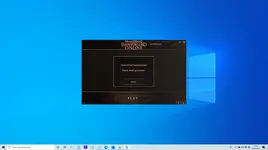
hey man thanks for the reply, so I have put it in that location (bar that mine id on drive D, idk if that matters), i have clicked in, i logged in the launcher is up but it just says could not find installed game, please select game folder. im not sure which folder to select? i tried selecting the steamapps/ bannerlord and pressed selsect but it just went to the same screen. Can u help me with this?
Attachments
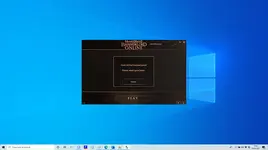
Is the file a .RAR or .ZIP file?hey man thanks for the reply, so I have put it in that location (bar that mine id on drive D, idk if that matters), i have clicked in, i logged in the launcher is up but it just says could not find installed game, please select game folder. im not sure which folder to select? i tried selecting the steamapps/ bannerlord and pressed selsect but it just went to the same screen. Can u help me with this?
If so, just unpack it/Unzip it
Hope the video helps b/c im at a lost. You might be able to just copy the string above, and replace C: with D: (It does not matter, it just mean what device the files are getting stored on.
Is the file a .RAR or .ZIP file?
If so, just unpack it/Unzip it
Hope the video helps b/c im at a lost. You might be able to just copy the string above, and replace C: with D: (It does not matter, it just mean what device the files are getting stored on.
It also kinda looks like the Bannerlord Online Application is not in the actual M&B Bannerlord Module folder, thats all I can figure why it would be saying "Cant find game folder"
aw no idk what rar or zip is, how do i unzip? my youtube is blocked i cant watch youtube videosIs the file a .RAR or .ZIP file?
If so, just unpack it/Unzip it
Hope the video helps b/c im at a lost. You might be able to just copy the string above, and replace C: with D: (It does not matter, it just mean what device the files are getting stored on.

this is my file location, is this correct?It also kinda looks like the Bannerlord Online Application is not in the actual M&B Bannerlord Module folder, thats all I can figure why it would be saying "Cant find game folder"
Attachments
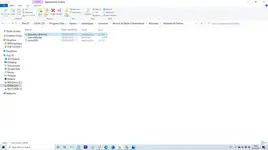
Put the contents of that entire folder into the M&B Bannerlord Module Folder.this is my file location, is this correct?
This is how mine is set up and I also realized that the string above would not work for you.
Attachments
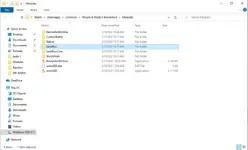
i thought it was in the module folder? on the thread it says common, bannerlord, modules unless im mistaken. Why ont the thread work for me/how do i fix it?Put the contents of that entire folder into the M&B Bannerlord Module Folder.
This is how mine is set up and I also realized that the string above would not work for you.
Im not sure I follow anymore. I was just trying to troubleshoot with you putting the entire contents of that one folder into the module folder. Hopefully the picture I posted helped. Otherwise im just as lost as you.i thought it was in the module folder? on the thread it says common, bannerlord, modules unless im mistaken. Why ont the thread work for me/how do i fix it?
When you download the Installer it should already be unzipped, just double click it/open it to install, when the file location comes up leave it as the default location.
once the install is complete.
press yes to make a desktop shortcut.
go to C:\Program Files (x86)\Steam\steamapps\common\Mount & Blade II Bannerlord\Modules
then see if the BannerLord Online File is there. if yes, you're good to play.
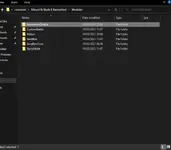
This is what your modules folder should look like after installing the Launcher.
once the install is complete.
press yes to make a desktop shortcut.
go to C:\Program Files (x86)\Steam\steamapps\common\Mount & Blade II Bannerlord\Modules
then see if the BannerLord Online File is there. if yes, you're good to play.
This is what your modules folder should look like after installing the Launcher.
Last edited:
i sorted it now sort of, i can now open the game, but it crashes on the loading screen. i dont know how to make the folder not read only??? i uncheck read only on properties only for it to be checked still when i check properties againWhen you download the Installer it should already be unzipped, just double click it/open it to install, when the file location comes up leave it as the default location.
once the install is complete.
press yes to make a desktop shortcut.
go to C:\Program Files (x86)\Steam\steamapps\common\Mount & Blade II Bannerlord\Modules
then see if the BannerLord Online File is there. if yes, you're good to play.
This is what your modules folder should look like after installing the Launcher.
View attachment 70
Nice, crashing on a loading screen may indicate that it is trying to load multiple mods, as that has happened to me when I tried loading multiple mods. But when you shared the pic, I didnt see any other mod loaded, and havnt had this problem otherwise.i sorted it now sort of, i can now open the game, but it crashes on the loading screen. i dont know how to make the folder not read only??? i uncheck read only on properties only for it to be checked still when i check properties again
Has a login screen popped up? Im pretty sure that I was brought to a login screen before the game launched. Hope you get this fixed!
ok so try deleting everything in your Modules folder then verifying game files, (you can move the bannerlordonline file located in modules to a separate location, Example, move it to Desktop while you do this, that way you won't have to repeat the steps of installing the mod launcher again,
if the problem persists you will have to delete all files related to Vanilla Mount and Blade bannerlord and uninstall the game, then do a fresh install of the game.
if the problem persists you will have to delete all files related to Vanilla Mount and Blade bannerlord and uninstall the game, then do a fresh install of the game.
The launcher will update Automatically when you press "PLAY"How do i update the launcher?
If you are getting an Error message, take a screenshot/post what it says.
it is best to Run the launcher in Admin mode when updating.
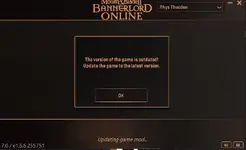
If you're using GoG they are still using the Beta Version of e1.5.8.
You need to be playing on the Stable version of 1.5.8.
if you are on Steam, go to library, right click bannerlord, Properties, Betas, None.